AI
Marketing
team structure
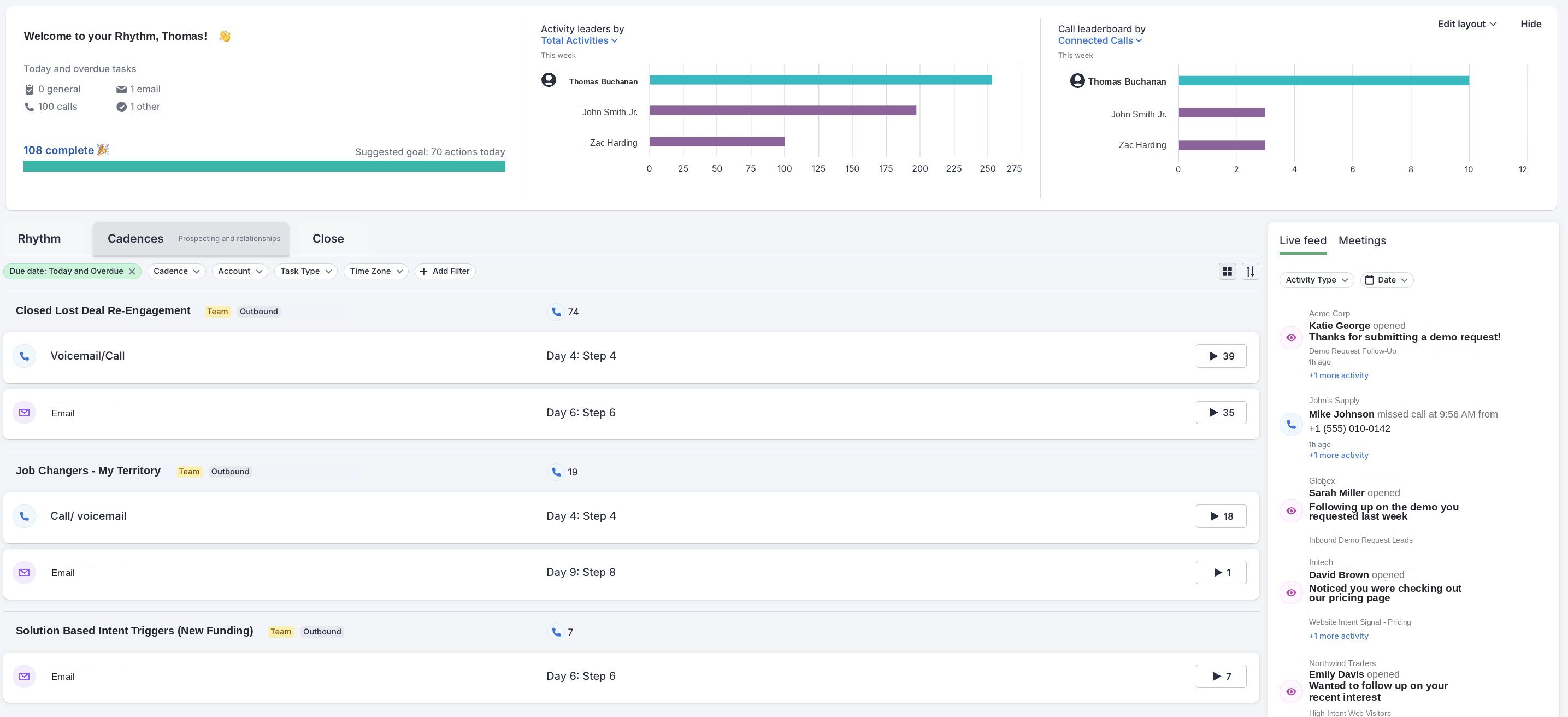


Most AEs run Salesloft the same way: they build a cadence or two, load up a big list, let it rip, and then build another list the second replies start drying up. This is a workflow that keeps reps busy without ever reacting to what's actually going on inside the accounts.
Meanwhile, the reps who pull ahead quarter after quarter keep a handful of specific triggers running at all times, each one built to reach the right person at the moment something changed in their world (a deal reopening, a job move, a new leader walking in). The outreach lands because the timing is right.
Here are the six we would set up first.
When a deal closes lost, most reps mark it dead and move on, which is usually a mistake.
The 6-month mark is one of the better windows to come back around, since whatever killed it the first time (budget, timing, a competing priority that ate the quarter) has often shifted by then, and you are walking back into a warm contact who already knows who you are.
What the cadence looks like:
The opener and context are the whole thing here, so don't pretend the first deal never happened, just name it: "We talked last fall and the timing wasn't right. With Q3 budgets now open, figured it was worth checking back in."
This cadence runs consistently, and tends to put a few opportunities back into the pipeline every month; a solid return on a cadence you build once and mostly leave alone.
Your CRM is full of people who already know you, and every time one of them changes jobs, they show up at a new company with fresh budget, a mandate to fix things in their first few months, and no incumbent vendor they feel loyal to. This combination is about as clean a buying signal as you get in B2B.
What the cadence looks like:
"You were building out the SDR motion at [old Company A]. Are you taking on something similar at [new Company B]? Would love to reconnect."
A generic congrats note disappears into the pile of 40 others they got that week, so the personalization is what makes yours the one they answer.
A new VP of Sales or Head of RevOps landing at an account on your list is a buying signal because new leaders come in with a mandate to look at the existing stack, fix what is broken, and put their own stamp on the team.
Those first 90 days are when they are most willing to take a meeting with someone new.
What the cadence looks like:
The win in week one is just getting on their radar before the other 12 vendors do, so keep it light and useful.
This one covers two signals that are easy to let slip, the obvious hand-raise and the change in a prospect's world that your product happens to fix.
Inbound intent is the easy half. Someone at a target account fills out a form, grabs a resource, or hits your pricing page 3 times in a week, and that is a hand-raise you treat like one. Speed is the whole game on inbound, since the first rep to follow up wins the meeting more often than not.
What that cadence looks like:
"Saw you downloaded our guide on [topic], figured I would reach out directly since your team has been on our radar for a while."
Solution-based triggers are the half most AEs never build and they're usually worth more. These are signals that live entirely outside your tech stack, based on what is happening in the prospect's business, and the right one depends on what you sell:
These take a bit more setup (Clay enrichment, news monitoring, a data provider), but once they fire the outreach basically writes itself. You're reaching out about something that just happened and that you can actually help with, which is a very different conversation from a cold pitch.
This is the signal most AEs miss entirely.
Marketing is running campaigns (email sequences, LinkedIn ads, nurture flows), and some contacts are engaging hard, opening every email, clicking every link, watching the full recording, which is a hand-raise that is not coming through a form.
What the cadence looks like:
This is the one that needs real sales and marketing alignment to work, and when it does, the prospect reads it as good timing, since they were quietly doing research right when the rep turned up.
Deals stall on every rep at some point, and the real mistake is waiting around for the prospect to come back on their own.
If the prospect is busy and has moved on, the deal just sits parked in no man's land until you do something about it.
The cadence fires when a deal has gone quiet for 14 to 21 days. What the cadence looks like:
"Hey [Name] — wanted to check in since we haven't connected in a few weeks. Are you still evaluating options or has this moved to the back burner? Either answer is fine, just want to make sure I am not following up at the wrong time."
It works because you are giving them an easy out, and an easy out is what gets you an honest answer instead of more silence.
None of these six need you babysitting your CRM every day.
At Sales Tempo, we connect your CRM data into Clay, set up the triggers, and route each one into the right Salesloft cadence. When a signal fires, the rep gets a task and a pre-written, personalized email ready to review, tweak, and send.
This allows the rep to keep their head in selling while the setup handles the signal-watching in the background, which is the difference between an AE who is vaguely aware of 300 accounts and an AE who is actually working the 20 to 30 accounts where something is happening right now.
If you are paying for Salesloft and using a fraction of it, that gap is usually where the easy wins are.
If you want to see what this looks like for your team, zac@salestempo.io.