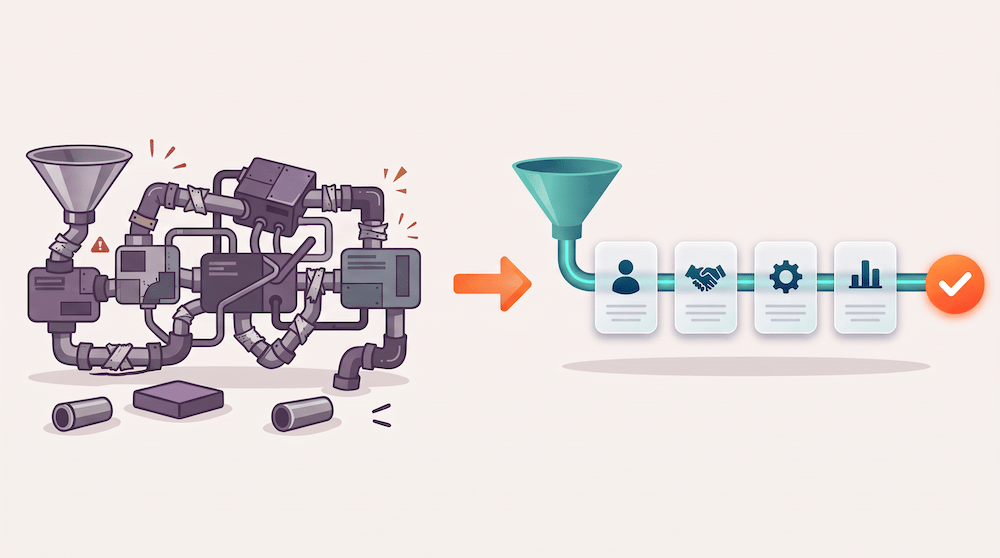
We opened a client's HubSpot portal expecting to build their licensing pipeline on deals. Instead we found a "Sales" object someone had built from scratch. Nobody on the current team knew why it existed.
That's more common than it sounds. The people who set HubSpot up years ago move on, someone who knows just enough adds a custom object, and everyone after them works around it. The cost shows up later: no native approvals, reports that need workarounds, and every new request turns into a custom build.
Quick answer: Use native deals for anything that behaves like a sales opportunity: it moves through stages, has an amount and a close date, and ends won or lost. Keep custom objects for things that aren't opportunities, like titles, programs, or assets you associate to many deals. If a custom object is doing a deal's job, rebuild it on deals.
Key takeaways
- Deals come with stage approvals, forecasting, and sales reporting built in. A custom object pipeline gets none of that without extra work.
- Custom objects are for the things you sell or track, not the act of selling them.
- Ask why the custom object exists before you remove it. The usual answer is "someone built it without a plan."
- Build the new deal pipeline in parallel, then switch the team over once it's tested.
- Deal approvals need Sales Hub Enterprise. Check your tier before you promise them to anyone.
What's the difference between a HubSpot custom object and a deal?
Deals are HubSpot's opportunity object. If you come from Salesforce, deals are opportunities. They have pipelines, stages, amounts, close dates, owners, forecasting, and a long list of sales reports that work out of the box.
Custom objects are containers you define yourself. They need an Enterprise subscription on the account, and they can have their own pipelines and properties. That flexibility is the point. It's also the trap. A custom object can be shaped to look like a pipeline, but HubSpot's sales tools are built around deals, so every deal feature has to be rebuilt by hand.
When should a custom object be a deal instead?
Run your custom object through these five questions. If you answer yes to three or more, it's doing a deal's job.
- Does it move through sales stages? Offer sent, rights check, contract out, closed.
- Does it carry an amount and an expected close date?
- Does it end in won or lost?
- Does a rep own it and get measured on it?
- Does leadership want it in the forecast?
For our client, every answer was yes. They license titles to streaming platforms. A rep sends an offer, operations checks the rights, legal sends the contract, and the deal closes or it doesn't. That's a deal pipeline. The custom object was a deal wearing a costume.
When does a custom object make sense?
Custom objects earn their place when you track something that isn't an opportunity and relates to many records:
- Titles, programs, or products with their own data that get associated to many deals. One TV show licensed to five platforms should be one record with five associations, not five copies.
- Assets with a lifecycle that isn't a sale, like equipment, properties, or installed systems.
- Agreements or royalties you report on separately from the deal that created them.
The pattern we recommend: deals for the selling, custom objects for the thing being sold, and associations between them.
What do you lose by running sales on a custom object?
- Deal approvals. HubSpot's approval process works on deal pipelines only and requires Sales Hub Enterprise. Approvers get notified in HubSpot and by email, can approve, request changes, or reject, and the deal can't move past the approval stage until it's cleared. On a custom object you rebuild that with workflows and tasks.
- Forecasting and sales reports. Forecast, pipeline, and rep dashboards assume deals. Custom object data needs custom reports.
- Sales tools and integrations. Quotes, deal boards, and integrations like Salesloft's HubSpot sync are built around deals.
- Future features. HubSpot ships sales features for deals first. A custom pipeline falls further behind with every release.
Could we custom-build all of it? Yes, and we told the client so. It just isn't a good use of their budget when the native version already exists.
How do you migrate a custom object pipeline to native deals?
This is the sequence we use. Reps keep working the whole time.
- Find out why the object exists. Ask the longest-tenured admin or ops lead. You're checking for a hidden dependency, like an integration or a report leadership relies on. Usually there isn't one.
- Map stages and fields. List every stage and property on the custom object. Decide which become deal stages, which become deal properties, and which belong on an associated object.
- Ask the sales team what they actually use. Book an hour with the reps. Ask which fields they fill in, which they skip, and what they wish they could see. You'll cut fields and find a few that are missing.
- Build a new deal pipeline from scratch. Don't retrofit the old setup. A new pipeline draws a clean line between historical and new data. (Here's what a clean HubSpot setup looks like when it's done.)
- Set up approvals and required fields. Add the approval stage if you're on Sales Hub Enterprise. Where you can, use a shared operations inbox as an approver so vacations don't stall deals.
- Test in a sandbox. Enterprise accounts include a sandbox that many teams have never opened. Run real scenarios through it.
- Move in-flight records. Pull a report of open records on the custom object, give each owner their list, and have them update the matching deal. Operations fills the gaps.
- Switch over and retire the object. Once reps are working in deals, make the custom object read-only, keep it for history, and remove it from everyday views.
On change management, we took a cue from our client's COO: don't explain the plumbing to the sales team while it's being built. Tell them to keep using what they have, then show them the finished version. Fewer questions, less anxiety, faster adoption.
Your custom object vs. deals checklist
- ☐ Write down who built the custom object and why
- ☐ Answer the five "is it a deal?" questions
- ☐ Confirm your tier: Sales Hub Enterprise for approvals, any Enterprise hub for custom objects
- ☐ List every stage and property on the custom object
- ☐ Interview reps on the fields they use and skip
- ☐ Build a new deal pipeline instead of editing the old one
- ☐ Assign approvers, using a shared ops inbox where you can
- ☐ Test the pipeline in a sandbox
- ☐ Export open records and assign them to owners for migration
- ☐ Rebuild key reports on deals before the switch
- ☐ Make the old object read-only after cutover
How we handle this at Sales Tempo
Our default is simple: use the software for what it was built for. When we find a custom build doing a native feature's job, we show the client both paths, what each costs to maintain, and what they'd give up. In this case the decision took about ten minutes. The rebuild took a few weeks, and the team got approvals, cleaner reporting, and a pipeline the next admin will understand on day one.
Frequently asked questions
Do I need HubSpot Enterprise to use custom objects?
Yes. Custom objects require an Enterprise subscription, but only one qualifying Enterprise hub on the account, not Enterprise on every hub. If you're on Starter or Professional and see a custom object in your portal, check your subscription history, since older accounts sometimes carry legacy setups.
Can I use HubSpot deal approvals on a custom object pipeline?
No. HubSpot's built-in approval process applies to deal pipelines only and requires Sales Hub Enterprise. Custom object pipelines can use other pipeline rules on Enterprise, but an approval flow on a custom object has to be built by hand with workflows, tasks, and notifications.
Will moving from a custom object to deals delete my data?
Not if you plan it. Build the new deal pipeline alongside the custom object, migrate open records, and keep the custom object as read-only history. Nothing is deleted until you choose to remove it, and many teams keep the old records for reporting on past years.
How long does a custom object to deals migration take?
For one pipeline with a handful of stages, plan on about four weeks. Most of the work happens in the first week and a half: mapping fields, interviewing reps, and building the pipeline. The rest is testing, migrating open records, and supporting reps after the switch.
Should we tell the sales team before the new pipeline is ready?
Tell them a change is coming and that they should keep working as normal. Skip the technical details until the new pipeline is built and tested. Then show them the finished version, walk through their open deals, and ask what's missing. Involving them in field decisions early still helps.
Not sure whether your HubSpot setup is helping or fighting your sales team? Get a free HubSpot Sales Hub audit and we'll show you what to keep, what to rebuild, and what to retire.